
Grammarly Review 2026: The Ultimate AI Writing Tool for Flawless Communication
By Muhammad Shamir Taloo – Last updated: Sep 16, 2026
Welcome to my in-depth Grammarly review for 2026. If you are ready to move beyond average and make your writing shine, this guide is for you. To truly thrive in our accelerated digital era, mastering clear and confident communication is no longer optional, it’s essential. With many top AI writing tools emerging, and the demand for a reliable free AI writing assistant growing, is Grammarly still the gold standard? Ultimately, is it truly worth your investment?
(You can explore Grammarly’s real-world accuracy and performance in detail in the Grammarly vs QuillBot Comparison, where both tools are evaluated/tested side by side under practical writing conditions)
🕒 One-Minute Verdict
Grammarly remains a top-tier AI writing tool in 2026, offering exceptional writing assistance, seamless integrations, and powerful generative features via its upgraded context-aware assistant, Grammarly AI. Whether you’re a student, content creator, or working professional, it enhances your writing clarity, tone, and correctness without slowing you down.
💸 The Top AI Gear’s Value-for-Money Score is 9.4 / 10
💡 This score is based on hands-on testing, productivity measurement, and feature comparison.
Summary Snapshot
✅ Strengths
- Top-tier writing accuracy: Grammar, clarity, tone, and fluency.
- Grammarly AI: Excellent AI tool for rewriting, ideation, and tone shifts.
- Universal Access: You can use it across various tools, from document editors to design platforms.
- User-friendly interface: Intuitive across web, desktop, and mobile.
⚠️ Drawbacks
- Premium cost: Monthly plan can be pricey for occasional users.
- Creative depth: Generative AI is better for rewriting than original ideation.
- Requires internet: Offline support is limited.
- Overcorrection risk: AI may sometimes misjudge tone or grammar intent.
👥 Best For
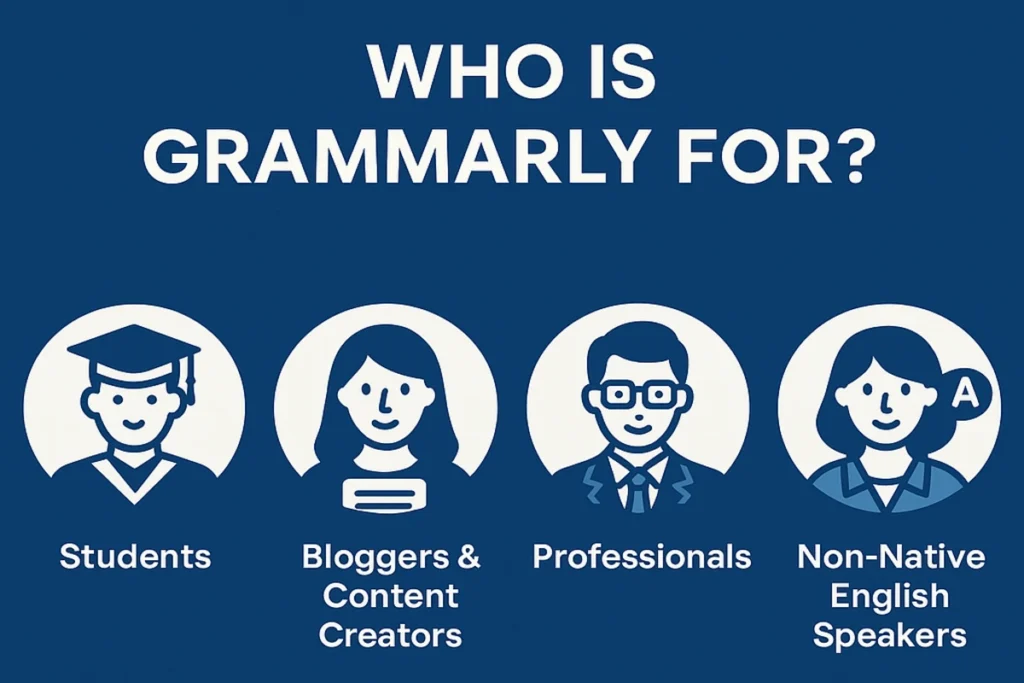
Students, bloggers, marketers, content creators, non-native English speakers professionals writing emails or reports, anyone needing polished, confident writing with minimal friction.
💬 My Take
Grammarly isn’t just a grammar checker, it’s a full-spectrum writing partner. In 2026, features like GrammarlyGO, real-time feedback, plagiarism detection, and smart tone tools make it a must-have for serious writers. It’s a tool that pays for itself in saved time, fewer mistakes, and more confident communication.
✍ 1. Why Trust This Grammarly Review? My Experience & What Others Say
This isn’t just a theoretical breakdown. In fact, in this comprehensive Grammarly review for 2026, I’ll explore its latest features, pricing, pros, and cons to help you determine if it’s the right AI writing assistant for your needs. In fact, my insights stem from years of consistent, daily interaction with Grammarly’s efficient Chrome extension on my machine. Moreover, I’ve personally tested Grammarly’s real-world accuracy and performance, which you can explore in detail in the Grammarly vs QuillBot Comparison, where both tools are evaluated side by side under practical writing conditions.
Furthermore, my positive experience aligns with the broader consensus. Across the web, Grammarly consistently receives overwhelming acclaim across its vast user base. For example, independent surveys confirm that over 90% of Grammarly users report significant benefits, like time savings and increased writing confidence. Indeed, this sentiment is echoed across trusted platforms:
1.1 Grammarly G2 Ratings & Real User Reviews (2026)
- ⭐ G2: 4.7/5
- ⭐ Trustpilot: 3.3/5
- ⭐ Capterra: 4.7/5
- ⭐ TrustRadius: 9.1/10
Taken together, these figures underscore why Grammarly remains a top choice for millions worldwide, confirming its effectiveness.
🔍 2. Grammarly at a Glance: Key Features & Quick Stats for This Grammarly Review
| Feature | Grammarly |
|---|---|
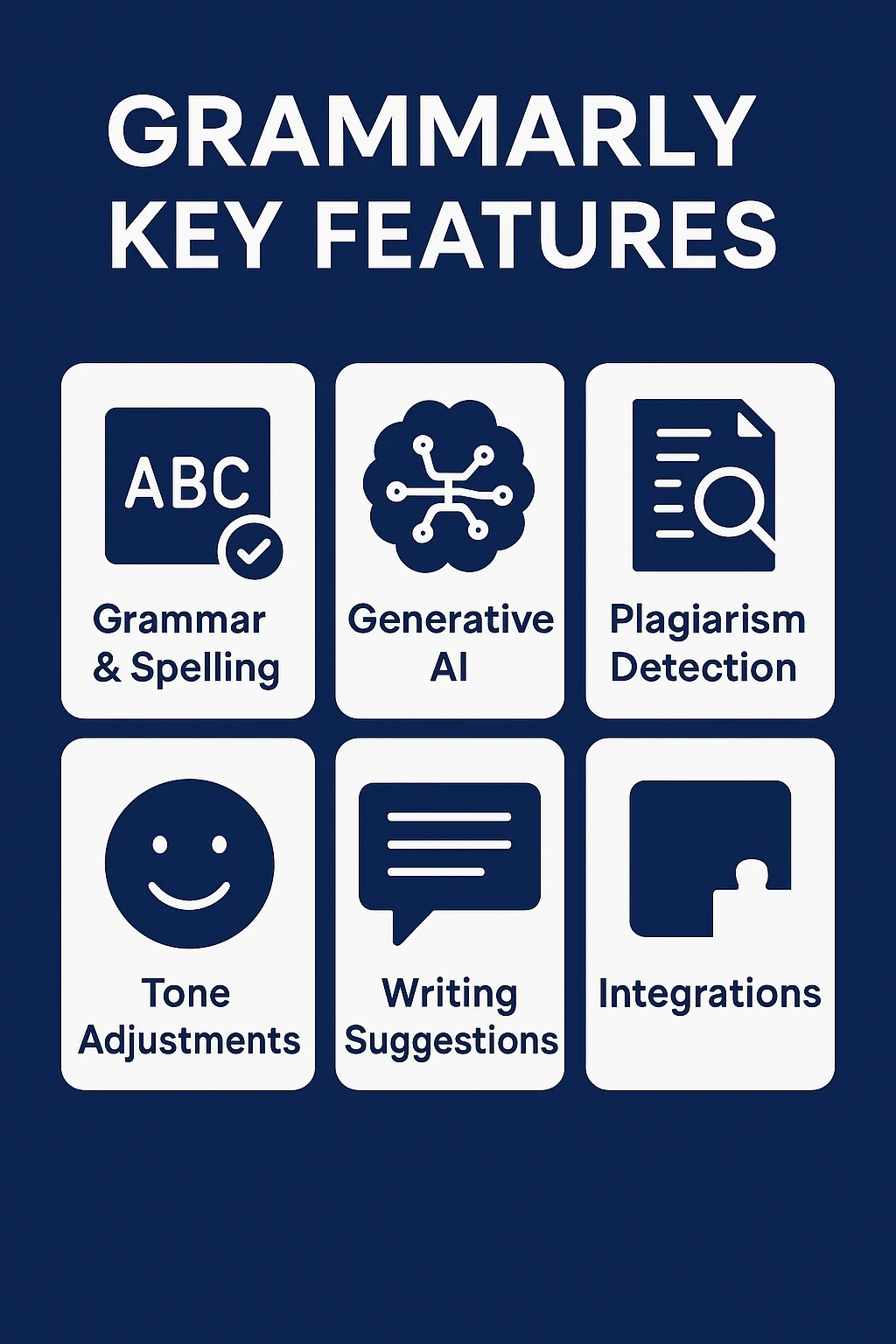
| Use Cases & Applications | Grammar, Spelling, Punctuation, Style, Tone, Generative AI Content. (See All Features in Detail in this Grammarly review) |
| AI Capabilities | Write with Generative AI (Grammarly AI), AI Detection, Contextual Understanding, Plagiarism Detection. (Learn More About AI Features in this Grammarly Review) |
| Ideal Users / Target Audience | Students, Bloggers, Marketers, Professionals, Businesses, Non-Native English Speakers. (See Plan Comparison) |
| Free Plan? | Yes (basic features). (See Free vs. Pro vs. Enterprise) |
| Starting Price | The Pro Plan begins at $9 per month, reflecting an annual billing cycle. (See Full Pricing Details) |
| Comparisons | Grammarly vs QuillBot |
💰 3. Grammarly AI Writing Assistant Pricing 2026: Plans & Premium Price Guide
Grammarly provides a flexible pricing model. Additionally, it features various tiers made to align with diverse user requirements, ranging from individual casual writers to extensive corporate entities. Many users are specifically looking for the Grammarly Premium price (now known as Grammarly Pro), and here we’ll break down all the plans to help you understand the cost and select the plan that perfectly aligns with your specific communication objectives.
3.1 Grammarly Free vs. Pro vs. Enterprise: A Comparison
3.2 Is Grammarly Free Enough?
Grammarly also offers one of the most generous free plans available today. If you’re comparing no-cost options, see our list of the best free AI writing assistants.
3.3 Is Grammarly Premium Worth It?
For most serious writers and professionals, the jump from Free to Pro (or what many still search for as “Grammarly Premium”) is a significant upgrade. In practice, the advanced suggestions, full-sentence rewrites, and the increased generative AI capacity truly elevate your writing. For many users, the plagiarism checker alone can be worth the annual fee. Therefore, if you write frequently and want to ensure every piece of communication is polished and impactful, Grammarly Pro is a highly valuable investment.
🤖 4. Deep Dive into this Grammarly Review’s Official Features 2026
Grammarly has been on a relentless innovation path, especially in the realm of AI. Therefore, here’s a detailed look at its most impactful features in 2026 as explored in this Grammarly review:
4.1 Grammarly’s Core Writing Assistance
This is where Grammarly built its reputation. Specifically, it instantly identifies and suggests corrections for:
(You can also explore how it performs against QuillBot in the Grammar Checker, Spelling, & Punctuation real-world accuracy testing)
4.1.1 Grammar & Punctuation
From comma splices to subject-verb agreement and misplaced modifiers, Grammarly catches them all.
4.1.2 Spelling
Far more advanced than typical word processors, it even flags context-specific spelling errors (e.g., “there” vs. “their”).
4.1.3 Conciseness
It helps eliminate wordy phrases and redundancies, making your writing more direct and impactful.
4.1.4 Vocabulary Enrichment
Offers suggestions for more impactful, accurate, or captivating word choices, significantly refining your writing style.
4.2 Advanced Writing & Style Enhancements in This Grammarly Review
Grammarly analyzes your writing and provides an instant tone assessment (e.g., confident, joyful, assertive, concerned). This feature is valuable for ensuring your message lands exactly as intended, whether you’re writing a formal business proposal or a casual social media post. Moreover, With GrammarlyGO, you can now actively change your tone with AI prompts.
4.3 Grammarly AI: Your AI-Powered Writing Assistant
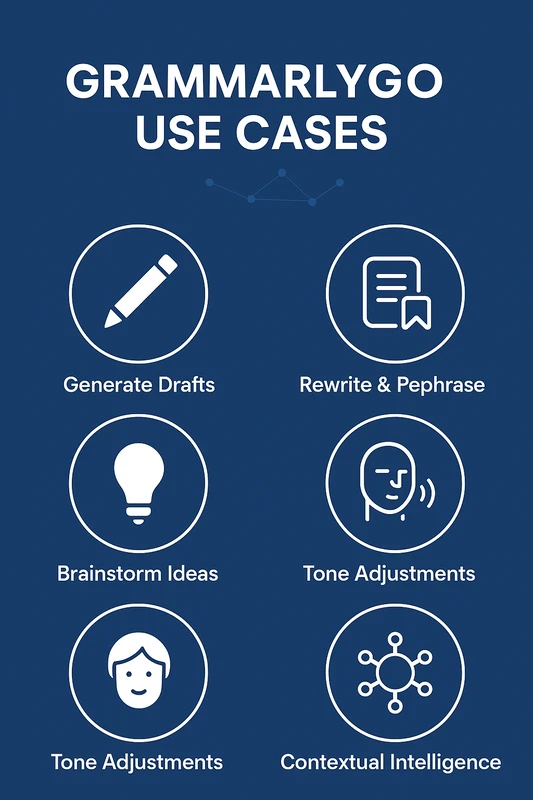
This is the game-changer for Grammarly in 2026. Once enabled, Grammarly AI seamlessly embeds AI capabilities into your writing process, empowering you to:
4.3.1 Generate Drafts
Provide a simple prompt (e.g., “Write an email requesting a meeting,” “Draft a blog post outline on sustainable living”), and Grammarly AI will create a starting point for you.
4.3.2 Rewrite & Rephrase:
Don’t like how a sentence sounds? Instead, ask Grammarly AI to rewrite it for clarity, conciseness, formality, or a completely different tone.
4.3.3 Summarize Content
Moreover, instantly condense long documents or emails into key takeaways.
4.3.4 Brainstorm Ideas
Stuck on a topic? Then, leverage AI to spark new ideas, structure your content with ready-made outlines, and craft compelling headlines that grab attention.
4.3.5 Tone Adjustments
Beyond detecting tone, Grammarly AI can actively adjust the tone of your text (e.g., make it more confident, friendly, empathetic, or formal). You can even set a custom voice profile.
4.3.6 Contextual Intelligence
The AI understands the surrounding text, providing more relevant and helpful suggestions than ever before. This functionality is a key aspect of this Grammarly review.
(You can also explore a detailed Grammarly’s “Write with Generative AI” feature in the Grammarly vs QuillBot accuracy and performance analysis)
4.4 Grammarly’s Plagiarism Checker
The plagiarism checker, a crucial feature particularly for students, academics, and content creators, leverages a vast database encompassing billions of web pages and academic sources. Consequently, it highlights passages that might be unoriginal and provides source citations, helping you avoid unintentional plagiarism. In 2026, with the rise of AI-generated content, Grammarly has also introduced Grammarly Authorship to help identify a content’s origin, which is a significant step towards promoting digital integrity. Furthermore, you can explore robustness of Grammarly’s Plagiarism Checker and its value against QuillBot in the Grammarly vs QuillBot accuracy and performance analysis.
4.5 Grammarly Integrations & Accessibility
Grammarly’s true power lies in its ubiquity because it integrates seamlessly into nearly every platform where you write. For instance:
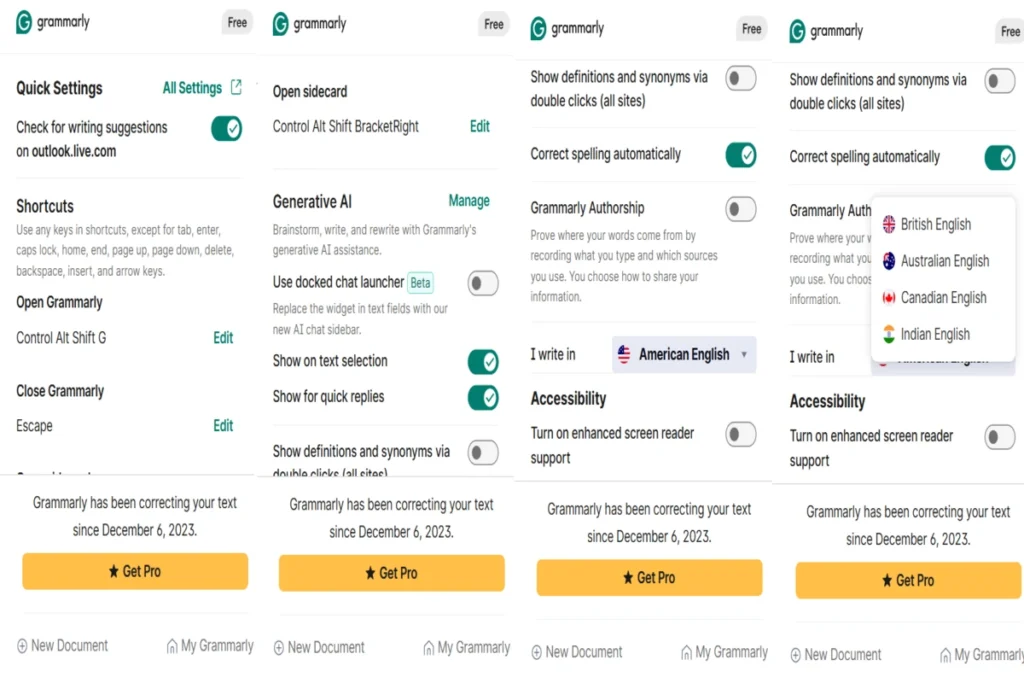
- Browser Extensions: Chrome, Edge, Safari, Firefox.
- Desktop Apps: For Windows and macOS.
- Microsoft Office Add-in: For Word and Outlook.
- Google Docs Compatibility: Provides immediate, on-the-fly writing suggestions directly as you compose in your Google Docs.
- Mobile Keyboards: For iOS and Android, bringing Grammarly’s power to your smartphone.
- Other Platforms: Works within email clients (Gmail, Outlook.com), social media (Facebook, Twitter, LinkedIn), content management systems, and even some specialized apps like Figma and Salesforce.
(You can also compare Grammarly’s Integrations & Platform Support with QuillBot to see where each tool fits into your workflow, covered in detail in the Grammarly vs QuillBot: Integrations & Platform Support section)
4.6 Custom Style Guides & Brand Tones
For teams and businesses, Grammarly offers robust features to ensure consistent brand voice. You can upload custom style guides and define brand tones. As a result, Grammarly will provide suggestions that keep all team members on-brand, no matter who is writing. This is crucial for maintaining a professional and unified external presence.
4.7 Reporting and Analytics
Grammarly provides a weekly email report summarizing your writing performance, common errors, and areas of improvement. Consequently, this feedback loop is an excellent tool for continuous learning and refining your writing skills over time.
4.8 AI Humanizer
Grammarly has just launched its new AI Humanizer feature, available under the Pro version. I tested it personally, and it’s a solid addition to Grammarly’s growing toolset. Once you write your text, you can click on the “Humanize” option to choose from several pre-built voice templates such as Neutral, Concise, Formal, Clear, Crisp, Assertive, and Objective.
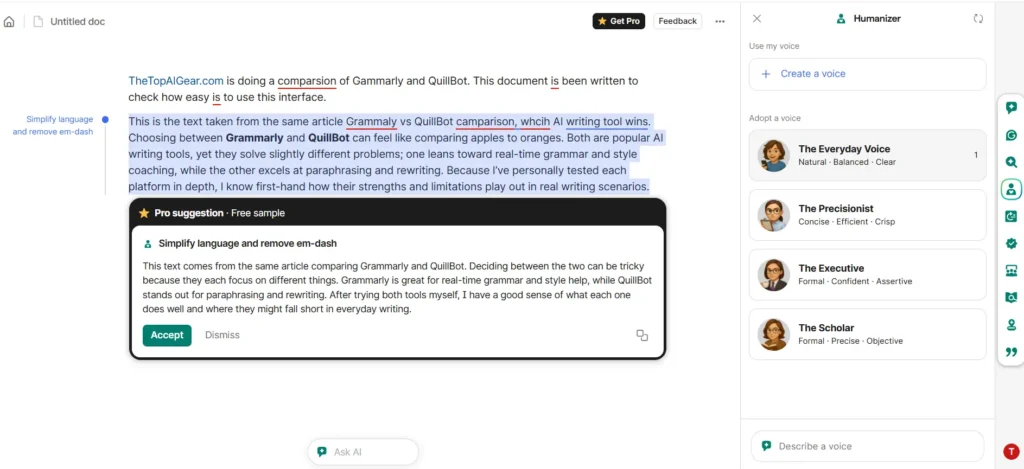
Moreover, you can even train it with your own writing style, by providing 3 to 4 text samples, Grammarly’s AI learns your tone and saves it for future use. Once you select a preferred writing style, your text is instantly converted in that tone with impressive natural flow.
(While Grammarly excels at grammar, learn why human oversight matters in AI Writing vs Human Writing)
⚖️ 5. Grammarly Pros and Cons: A Balanced View
While highly effective, no digital assistant offers a flawless experience, and Grammarly, too, has its areas for improvement. Therefore, here’s a balanced look at its advantages and disadvantages based on its 2026 capabilities as observed in this Grammarly review:
| Pros (+) | Cons (-) |
|---|---|
| Exceptional Core Correction: Catches more errors than built-in checkers. | Premium Price: Can be expensive for individuals on a monthly plan. |
| Powerful Generative AI (Grammarly AI): Speeds up content creation & rewriting. | AI Nuance: AI outputs may sometimes lack deep creative nuance or human touch. |
| Extensive Integrations: Works almost everywhere you write. | Over-reliance Risk: Can hinder independent writing skill development if misused. |
| Real-time Feedback: Instant suggestions as you type. | Plagiarism Checker Limitations: While strong, no checker is 100% foolproof for novel content. |
| Tone Detection & Adjustment: Helps tailor your message for impact. | Internet Connection Required: Most features need an active connection. |
| User-Friendly Interface: Easy to learn and navigate. | Occasional Over-Correction/Incorrect Suggestions: Still an AI; human review is always best. |
| Plagiarism Checker Included: A valuable added layer of security. | Not a Human Editor Replacement: Cannot replicate the critical thinking or deep understanding of a human proofreader. |
| Continuous Updates & Innovation: Regularly adds new features and improves AI. |
🚫 6. Grammarly Review: Who This Tool is NOT For?
Grammarly excels at grammar, spelling, clarity, and tone suggestions, but it may not be the right choice if:
- You need deep rewriting or creative generation, Grammarly’s content generation is limited compared with dedicated generative AI tools, and it may struggle with nuanced creative writing.
- You want contextual real-time generation or ideas from scratch, Grammarly cannot brainstorm or create content independently.
- You prefer comprehensive style or brand control, Grammarly focuses on correctness and clarity rather than customizable tone and voice beyond basic settings.
- You expect perfect plagiarism or AI detection, some user feedback shows inconsistencies in its AI and plagiarism checks, so it shouldn’t be solely relied on for academic honesty.
(You can explore Grammarly’s real-world accuracy and performance in detail in the Grammarly vs QuillBot Comparison, where this tool is evaluated/tested under practical writing conditions)
In such cases, pairing Grammarly with a content generator or research tool may be more effective.
🔄 7. Grammarly Alternatives: How Does it Compare?
While Grammarly is a leader, several strong alternatives offer similar or complementary features:
7.1 QuillBot
Specializes in paraphrasing, summarizing, and rewriting, with a good grammar checker. Excellent for rephrasing existing content.
👉 Read Full QuillBot Review →
7.2 Writesonic
A versatile generative AI writing tool that helps create a wide range of content, from blog posts and articles to ads and product descriptions. It offers numerous templates and is a strong competitor in the AI content generation space.
👉 Read Full Writesonic Review →
7.3 Jasper AI
This is a dedicated AI content generation tool, offering more extensive long-form content creation capabilities than Grammarly, though it might not have the same level of grammar/style correction.
7.4 Copy.ai
A leading generative AI tool, traditionally strong for short-form marketing copy (ads, social media, emails). However, it’s increasingly evolving to support broader sales and marketing workflows with its AI capabilities.
7.5 ProWritingAid
Often considered Grammarly’s closest competitor, ProWritingAid offers more in-depth reports and tools for fiction writers, though its interface can be less intuitive.
7.6 Rytr
A more affordable and user-friendly generative AI writing assistant. It’s a good option for individuals or small businesses seeking AI assistance for various content types without a high price tag.
7.7 ChatGPT / Google Gemini
Powerful general-purpose AI chatbots that can assist with writing, brainstorming, and editing, but lack the seamless, real-time integration across platforms that Grammarly offers.
7.8 Microsoft Editor
Microsoft’s built-in writing assistant, continuously improving but generally less comprehensive than Grammarly’s paid versions.
7.9 Hemingway Editor
This tool specifically targets clarity and conciseness, drawing attention to intricate sentence structures and instances of passive voice. A great supplementary tool.
7.10 Section Summary
Choosing an alternative often depends on your primary need: deep editing (ProWritingAid), rapid content generation (Jasper), or quick rephrasing (QuillBot). However, for a comprehensive, all-in-one writing assistant that integrates everywhere, Grammarly remains a top choice.
🚀 8. Getting Started with Grammarly: Your Easy Workflow
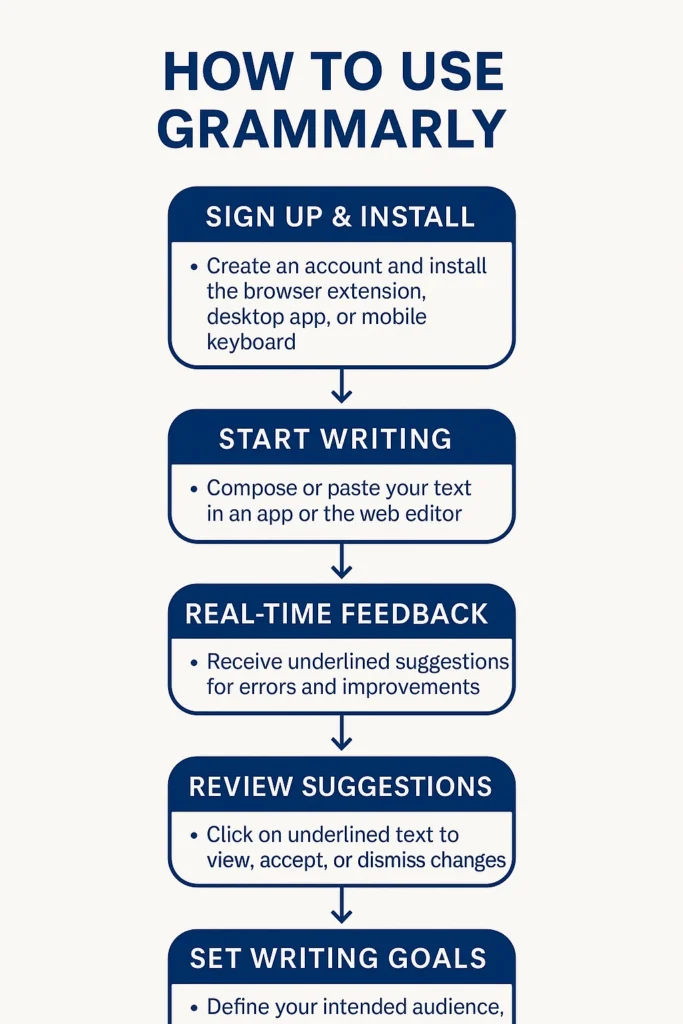
Getting started is easy. In fact, using Grammarly is incredibly intuitive, designed to fit seamlessly into your existing writing habits.
8.1 Sign Up & Install
- Visit the Grammarly website and create an account (you can start with the free version).
- Download the browser extension (e.g., for Chrome) and the desktop app for your operating system. You can also get the mobile keyboard.
8.2 Start Writing (or Pasting)
- Open your email client, Google Docs, Microsoft Word, or simply start typing in any text field online.
- Alternatively, open the Grammarly desktop app or the Grammarly web editor and paste your text directly.
8.3 Real-time Feedback
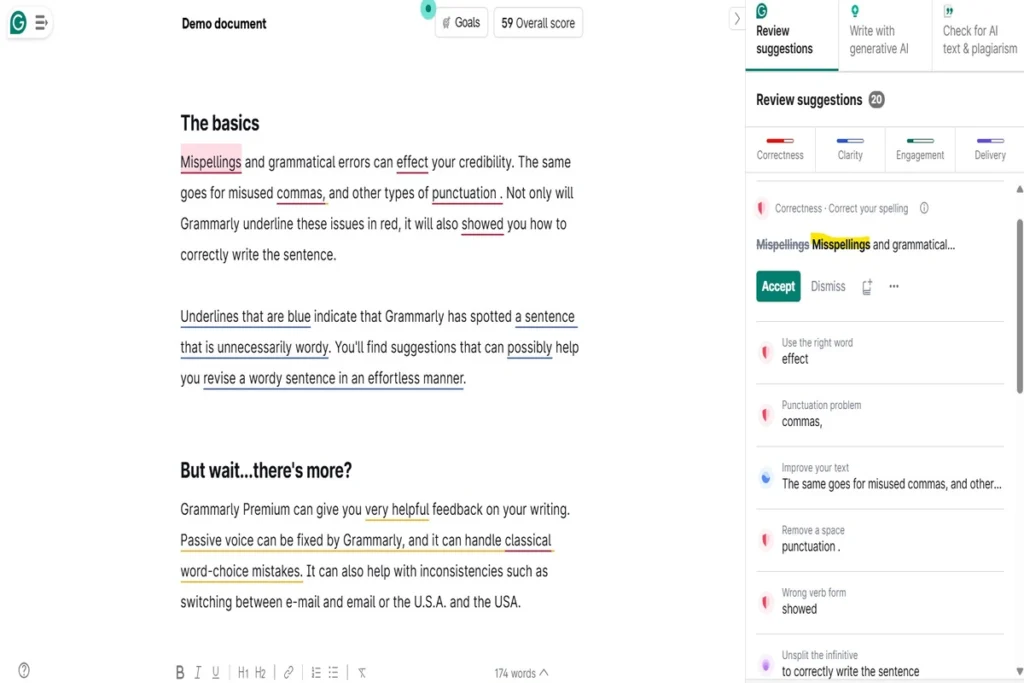
- As you write, Grammarly will underline errors and suggest improvements in real-time.
- Specifically, red underlines indicate correctness issues (grammar, spelling).
- Meanwhile, blue underlines suggest clarity and conciseness improvements.
- In addition, green underlines highlight engagement and delivery issues.
- Finally, purple underlines point to tone suggestions.
8.4 Review and Accept/Reject
- Click on an underlined word or phrase to see Grammarly’s suggestion and a brief explanation.
- You can accept the suggestion with a click, dismiss it, or learn more about the rule.
- For instance, for generative AI prompts (Grammarly AI), simply highlight text or type a command, and Grammarly will provide options.
8.5 Set Goals
- Before you start, select your writing goals (e.g., audience, formality, domain) from the sidebar. This functionality enables Grammarly to provide highly personalized suggestions, directly aligning with your unique writing situation.
8.6 Section Summary
Grammarly acts as an intelligent co-pilot, guiding you toward better writing while keeping your flow uninterrupted.
🙋 9. Frequently Asked Questions (FAQs) About Grammarly
9.1 Is Grammarly really free?
Yes. In fact, Grammarly offers a robust free version with essential grammar, spelling, and punctuation checks, along with limited generative AI prompts. A large segment of users consider this ample for their foundational purposes.
9.2 Does Grammarly detect plagiarism?
Yes, but the plagiarism modules still need improvement. Moreover, the Grammarly Pro (paid) and Enterprise plans include a plagiarism checker that compares your text against billions of web pages and academic sources.
9.3 Is Grammarly safe and private?
Accordingly to the company, Grammarly strongly commits to protecting user data and upholding privacy standards. They use industry-standard encryption, comply with GDPR and CCPA, and state that they do not sell user data or use it to train third-party models.
9.4 Does Grammarly work with Microsoft Word/Google Docs?
Absolutely, Grammarly offers dedicated add-ins for Microsoft Word and Outlook, and a seamless integration with Google Docs via its browser extension.
9.5 Can Grammarly generate full articles?
While Grammarly AI can generate outlines, sections, and rewrite substantial passages, it’s primarily designed as an assistant to enhance existing content or kickstart ideas, rather than a standalone long-form article generator like some dedicated AI writing tools.
9.6 What is the difference between Grammarly Premium and Grammarly Pro?
In essence, Grammarly Premium and Grammarly Pro refer to the same individual paid plan. Grammarly transitioned its naming from “Premium” to “Pro” to better reflect the expanded and more advanced features, particularly the integration of cutting-edge generative AI capabilities (Grammarly AI) beyond just basic grammar checking. So, if you’re looking for Grammarly Premium, you’re looking for Grammarly Pro.
9.7 Is Grammarly better than other tools like Jasper AI or ProWritingAid?
It depends on your specific needs. Grammarly is generally favored for its comprehensive real-time grammar/style checking and wide integration. When it comes to academic reporting, ProWritingAid might be stronger. Those focusing on pure content generation, Jasper or Copy.ai might offer more features. For a detailed breakdown of alternatives, please refer to our dedicated Grammarly Alternatives section.
📣 Final Verdict: Is Grammarly Worth It?
After thoroughly reviewing its 2026 features, integrations, and overall user experience, our verdict is clear: Yes, Grammarly remains an exceptionally valuable AI writing assistant and is absolutely worth it for anyone serious about improving their written communication. It is not a tool designed to completely automate your writing production; it is designed to perfect the human writing you already do. In the nutshell, Grammarly is an AI-powered writing tool for grammar and tone specifically.
Why Grammarly Pro Is Worth the Upgrade
If your core goal is error-free communication, clean syntax, and precise brand voice alignment, utilize the free version across your daily apps and step up to Grammarly Pro as your editing volume scales. The Grammarly Pro plan truly unlocks the tool’s full potential. Specifically, the advanced style suggestions, the powerful generative AI (Grammarly AI), and the peace of mind offered by the plagiarism checker make it an indispensable tool for students, professionals, and content creators alike. Moreover, its seamless integration across platforms means you’re always writing with an intelligent safety net.
Grammarly Review 2026: Editorial Ratings
| Category | Rating | Justification |
|---|---|---|
| Core Writing Assistance (Accuracy & Breadth) | ★★★★★ | Excels in grammar, punctuation, and clarity suggestions across writing styles. |
| Generative AI & AI Detection Capabilities | ★★★★☆ | Performs well for rewriting and tone changes but lacks depth in long-form creation & AI detection. |
| Ease of Use & User Interface (UI/UX) | ★★★★★ | User-friendly interface that’s smooth across desktop, mobile, and browser apps. |
| Integrations & Accessibility | ★★★★★ | Works seamlessly with tools like Google Docs, MS Word, and browser extensions. |
| Customization & Control (Tone, Style Guides) | ★★★★★ | Offers tone detection, control, and advanced formatting preferences. |
| New Features 2026 | ★★★★★ | Includes standout tools like Write with Generative AI, and AI Humanizer. |
| Pricing & Value for Money | ★★★★☆ | The Pro tier offers massive business ROI, though the standalone price point can feel a bit steep for casual or occasional proofreaders. |
Grammarly Review Summary: Final Takeaway
Based on comprehensive testing and multi-platform evaluation, Grammarly continues to define the digital writing assistant space. Grammarly is not just a grammar checker; it’s a comprehensive writing partner that empowers you to write clearly, confidently, and effectively in every aspect of your life. It goes even further with AI-based assistance through its new feature, Write with Generative AI. This advanced tool helps you generate ideas, outlines, and even full paragraphs, making it a powerful upgrade over the traditional writing assistant. In summary, It’s a tool that pays for itself in improved communication, saved time, and boosted credibility.