
Top 5 AI Tools for Resume Writing in 2026: Boost Your Job Applications
By Muhammad Shamir Taloo – Last updated: January 21, 2026
In today’s fast‑paced job market, many candidates seek to craft a polished CV quickly. Thanks to AI, it’s now easier than ever. AI tools for resume writing are transforming how resumes are created; as a result, delivering faster, optimized, and professional results. Moreover, with these smart tools, job‑seekers no longer spend hours manually fine‑tuning formatting and wording. Instead, they get ready-to-submit resumes that look sharp and meet industry standards.
1. Quick Comparison Table: Top 5 AI Tools for Resume Writing
Here are five current standout tools (as of 2026), including their core strengths, pricing, and ideal use-cases:
| Tool | Key Feature | Best Use Case | Price & Free? |
|---|---|---|---|
| Rezi | Real‑time keyword matching + ATS optimization | Job seekers in competitive industries needing strong ATS compliance | Free plan available; Pro $29/month & Lifetime $149 |
| Kickresume | AI‑powered content generation + pre‑written phrases & templates | Students, early‑career professionals, creative or design‑oriented jobs | Free plan available; Pro $6/month if paid annually |
| Enhancv | Visually appealing templates + strength/achievement sections | Creative professionals, marketers, design‑focused applications | Free plan available; Pro $6.57/month if paid half yearly |
| Teal | AI resume builder + job‑tracker + keyword matcher | Active job‑seekers applying to multiple roles; those needing version control & job tracking | Free core tier; Teal+ from $13/week or $79/quarter |
| Jobscan | Resume vs. job‑description matching + ATS optimization analysis | Professionals wanting to tailor existing resumes per job posting, maximize ATS pass rate | Free plan available; Pro $50/month or $90/quarter |
2. Why Use AI Tools for Resume Writing?
Using advanced resume tools yields several advantages. To begin with, an AI resume builder dramatically reduces the time needed to format and polish a CV. Additionally, thanks to AI‑enhanced resume writing, users receive suggestions that improve clarity, professionalism, and alignment with job requirements. Finally, many AI tools help produce resumes that are ATS‑friendly, increasing the chance of getting past automatic screening systems.
3. How AI Tools Improve Your Resume
3.1 Automated Resume Formatting (resume formatting AI software)
- Handles layout, spacing, fonts, and alignment automatically.
- Ensures consistency in sections like education, experience, skills.
- Produces clean, ATS‑friendly structure without manual effort.
3.2 Optimized Content for ATS (resume optimization AI)
- Analyzes job descriptions to match key phrases and skills.
- Helps include relevant keywords so applicant‑tracking systems recognize the resume.
- Improves chances of screening success before human review.
3.3 Suggestions for Professional Language (professional resume AI assistant)
- Offers refined phrasing for bullet points and summaries.
- Helps avoid clichés and overly generic terms.
- Suggests strong action verbs and clear structure for better impact.
AI Tools can draft resumes quickly, but human oversight ensures meaningful, accurate results. Learn more in AI Writing vs Human Writing.
4. 🏆 Top 5 AI Tools for Resume Writing (2026)
4.1 Rezi
4.1.1 Key Features
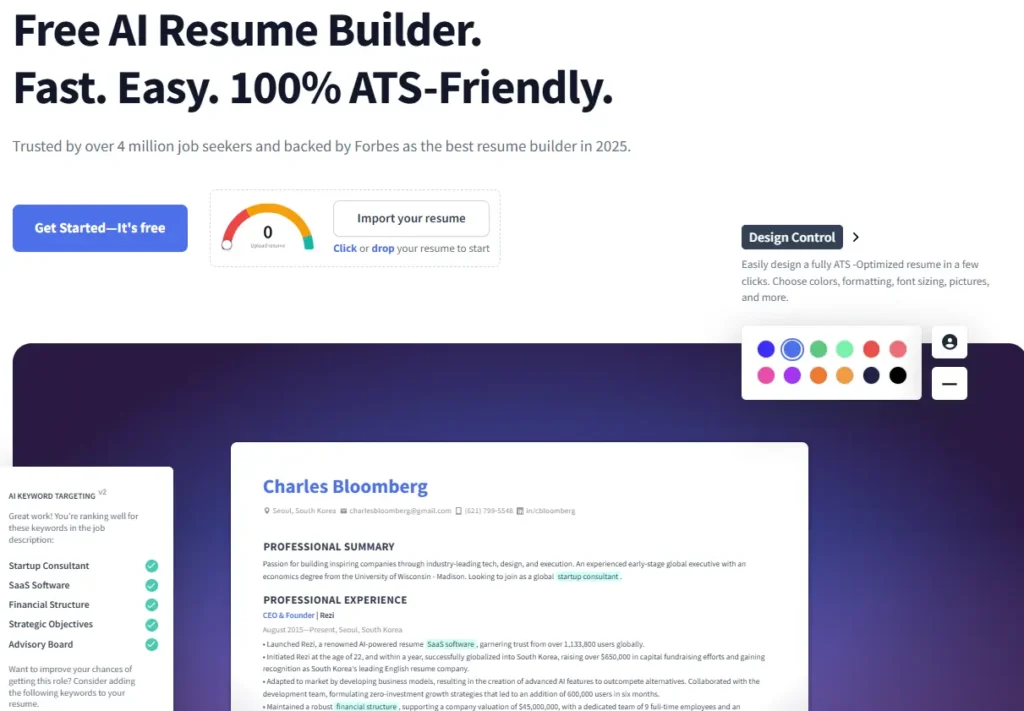
- AI‑powered keyword targeting and ATS optimization: Rezi analyzes job descriptions and suggests keywords and phrasing to improve match rate.
- AI bullet‑point writer and summary generator: Helps convert raw experience into polished bullets/resume summaries tuned for the role.
- Resume scoring (Rezi Score): Gives real-time feedback via a numeric score to evaluate how well resume matches ATS and job post criteria.
- Simple professional templates + multi‑format export (PDF, DOCX).
4.1.2 Pros & Cons
- Pros: Strong focus on ATS compatibility and keyword optimization, good for getting past automated screening.
- Helps job seekers tailor resumes to specific job descriptions quickly.
- Useful for applicants in traditional industries or competitive fields where ATS filters dominate.
- Cons: Free plan is limited (only basic features or limited AI credits).
- Templates are less flashy/design‑oriented, may feel basic for design‑heavy or creative roles.
- For full features, subscription is required, which may be overkill if only occasional resume updates are needed.
4.1.3 Best Use Cases
- Job seekers who frequently apply to roles with heavy ATS screening.
- Professionals wanting to build or tailor a resume with minimal manual effort but high ATS‑match quality.
- Recent graduates or career‑changers needing an optimized, keyword‑rich resume to compete in broad applicant pools.
4.1.4 Pricing
- Free plan: limited features/basic access.
- Pro plan: US $29/month for unlimited AI credits, full features.
- Lifetime plan: one‑time payment (around US $149) for permanent access to premium features.
4.1.5 Free vs Paid
- Free: good for basic resumes, limited AI output, perhaps one or few uses.
- Paid: offers full AI and optimization features, better for heavy job‑seekers or those targeting competitive roles.
4.1.6 Verdict
Rezi remains one of the most reliable tools if your priority is ATS‑compatibility, structured resume creation, and keyword‑rich content. It may not be the flashiest in terms of design, but for maximizing screening success and efficiency, it’s a top pick, especially for traditional/private‑sector job applications. Moreover, the rating on Trustpilot is 4.5/5.
4.2 Kickresume
4.2.1 Key Features
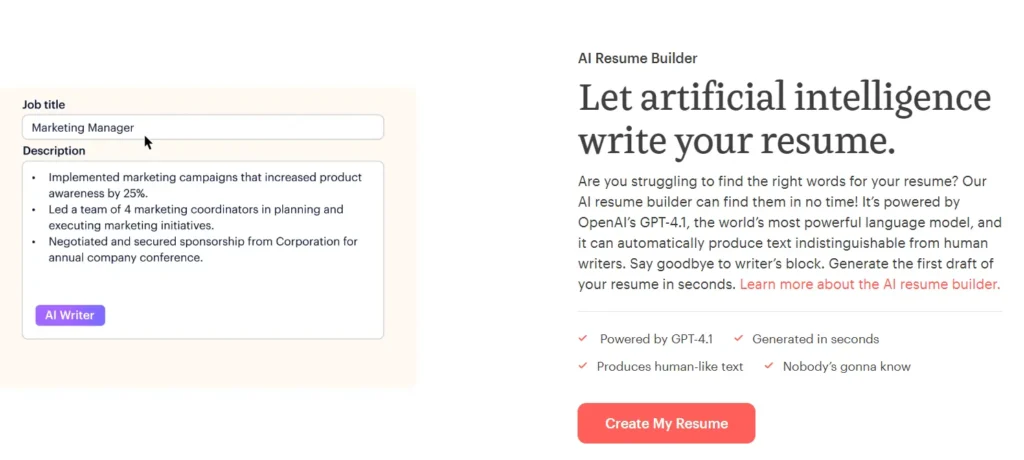
- AI‑powered content generation, including bullet points, summaries, and cover letters.
- Large library of templates, many of them visually stylish and portfolio/creative‑friendly.
- Option to convert a resume into a personal website (helpful for online portfolios or creatives).
- Easy import of existing data (resume or LinkedIn), making it fast for first‑time users to start building.
4.2.2 Pros & Cons
- Pros: Ideal for creative, design‑oriented roles where first impression and layout matter.
- AI handles much of the initial content drafting, reduces writer’s block and speeds up resume creation.
- Free tier available (though limited), allowing users to try before committing to paid.
- Cons: Free plan has limited templates and features; full benefit requires premium subscription.
- Some designs (multi-column, heavy formatting) may not parse well via ATS systems, risky for strict screening environments.
- AI-generated content sometimes needs manual refinement to avoid generic phrasing and ensure authenticity.
4.2.3 Best Use Cases
- Creative professionals (designers, marketers, content creators) who value aesthetic layouts.
- Job seekers focusing on roles where human review (not just ATS) matters e.g., creative, startup, design‑heavy roles.
- Fresh graduates or early‑career professionals wanting a fast, visually appealing resume.
4.2.4 Pricing
- Free plan: basic access, limited templates and features.
- Paid plan: around US $6/month (if billed annually) for full features and unlimited downloads/customization.
4.2.5 Free vs Paid
- Free: useful for testing, basic resumes, or minimalist resumes.
- Paid: necessary for full template range, advanced AI content generation, and enhanced customization, beneficial for serious job‑seekers or creative roles needing stronger presentation.
4.2.6 Verdict
Kickresume is an excellent option when resume design, layout, and content matters as much as content accuracy. Moreover, it offers a balance between ease, visual impact, and AI-generated writing making it a solid pick for creatives, early‑career professionals, or applicants whose roles value presentation. In addition, the rating on Trustpilot is 4.6/5.
4.3 Enhancv
4.3.1 Key Features
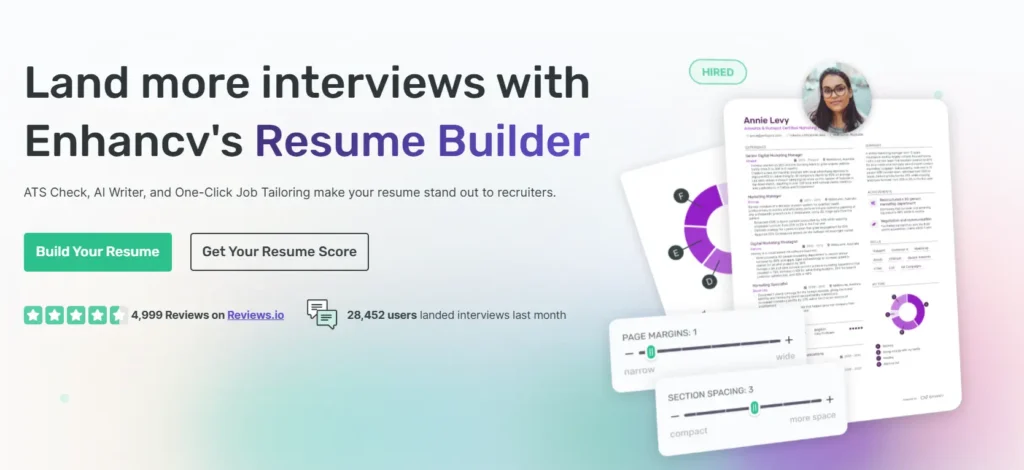
- AI-driven content suggestions and resume‑building assistance (summaries, bullet points, structure).
- Stylish and modern templates with flexible layout options, good for personal branding or creative roles.
- Cover letter builder optionally integrated, allowing matching design and style consistency.
- Intuitive editor and easy-to-use interface for quick resume construction.
4.3.2 Pros & Cons
- Pros: Great for professionals seeking a visually appealing resume, especially those in creative, communications, or marketing fields.
- Helps produce polished, presentable resumes that stand out to human reviewers.
- Offers a balance between design and content assistance via AI, making resumes both readable and appealing.
- Cons: Focus is more on visual presentation, keyword optimization or ATS‑specific tuning may be weaker compared to ATS‑first builders.
- Some design-heavy templates (multi columns, graphic elements) may not parse well in automated screening systems.
- Free or trial plan may be limited; full benefit requires paid subscription.
4.3.3 Best Use Cases
- Creative or design‑oriented fields (marketing, design, content creation, arts).
- Candidates aiming for roles where resume aesthetics and personal branding matter.
- Professionals who want a balance between style and substance, where presentation matters heavily.
4.3.4 Pricing
- Free basic/trial plan available (with limited access/features).
- Pro plan around US $6.57/month (when billed half yearly).
4.3.5 Free vs Paid
- Free/trial: good for trying templates, basic layout and content suggestions.
- Paid: recommended for full template set, cover letter builder, advanced layout/customization especially for serious applications or creative resumes.
4.3.6 Verdict
Enhancv is ideal for job‑seekers who value design and visual appeal along with basic AI assistance. While it may not be the best choice for strict ATS optimization, it’s a strong contender for roles where human review, first impressions, and presentation hold weight. Furthermore, the rating on Trustpilot is 4.7/5.
4.4 Teal
4.4.1 Key Features
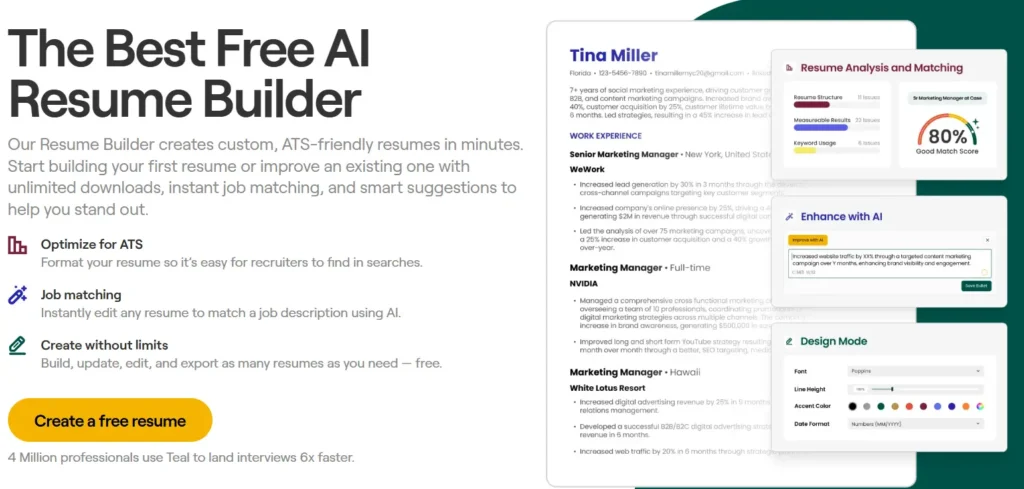
- AI‑powered resume builder with keyword matching and job‑description analysis.
- Integrated job‑tracker workspace: allows users to track applications, manage multiple versions of resumes tailored for different roles, and stay organized.
- Import functionality (from LinkedIn or existing resumes), quick start without building from scratch.
- Export options (PDF, standard formats), and ability to customize resume versions per application.
4.4.2 Pros & Cons
- Pros: Very good for applicants applying to many jobs, job‑tracker + resume builder + keyword matching in one platform.
- Offers a free tier, making it accessible for job‑seekers on a budget.
- Helps manage multiple versions of resumes efficiently, ideal for tailoring resumes to different job descriptions.
- Cons: Templates and design options are more basic and less visually rich compared to design‑heavy builders not ideal if presentation is priority.
- Some advanced features (full AI content generation, advanced analysis) are behind paywall (Teal+).
- For highly design‑conscious users, the simplicity may feel limiting.
4.4.3 Best Use Cases
- Applicants submitting multiple applications across different roles, need to tailor resume per job post.
- Professionals looking for a unified job‑search management system (resume building + application tracking).
- Budget-conscious job‑seekers who want free or low-cost options without sacrificing essential resume features.
4.4.4 Pricing
- Free core plan: unlimited resumes with basic features.
- Premium (Teal+): roughly US $13/week, US $29/month to US$79/quarter for full access.
4.4.5 Free vs Paid
- Free: useful for building and exporting basic resumes, especially if you apply occasionally.
- Paid: beneficial if you apply often, need advanced AI suggestions, tailored versions per application, or want full flexibility.
4.4.6 Verdict
Teal stands out as a practical all‑in‑one solution: resume builder, job application tracker, and keyword matcher. For job‑seekers handling multiple applications especially freelancers, frequent applicants, or those changing careers, it offers a strong balance of functionality, convenience, and affordability. In addition, the rating on Trustpilot is 4/5.
4.5 Jobscan
4.5.1 Key Features
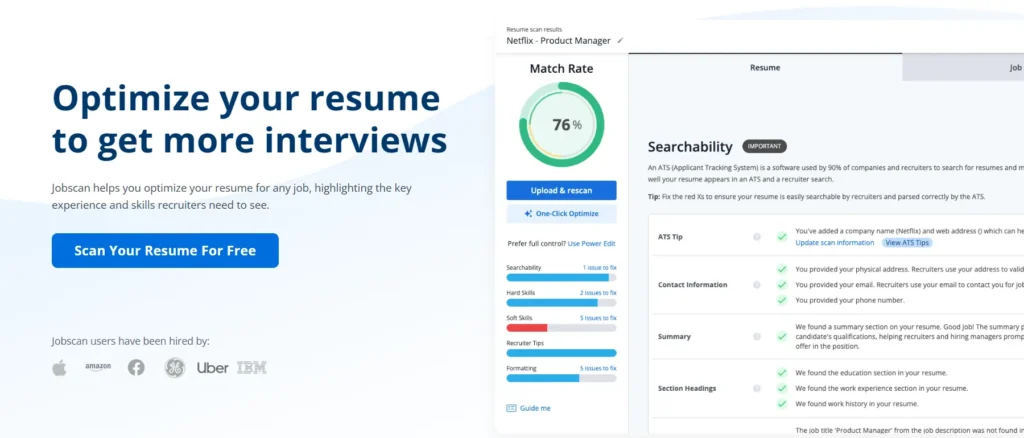
- ATS‑optimization analysis by comparing resume to job descriptions, highlights missing keywords, formatting issues, and content gaps.
- Resume‑vs‑JD matching tools that help tailor existing resumes for specific job postings, maximizing relevance and ATS pass-rate.
- Diagnostic feedback: provides suggestions to improve skills section, formatting, keyword inclusion, and more.
4.5.2 Pros & Cons
- Pros: Excellent at optimizing and tailoring resumes for each job application, useful in competitive or ATS-heavy hiring environments.
- Helps identify gaps (skills, keywords, formatting) that might cause rejection, gives actionable feedback.
- Works well with existing resumes, ideal for applicants who just want to refine or tailor instead of rebuilding from scratch.
- Cons: It’s not a full resume builder, users need an existing resume; Jobscan focuses on optimization and tailoring.
- Free plan includes limited scans/optimizations, heavy users may need premium plan for full benefit.
- Premium cost is relatively high compared to simpler builders, which may deter budget‑conscious users.
4.5.3 Best Use Cases
- Professionals with existing resumes aiming to apply to multiple, varied job postings and needing to tailor per role.
- Applicants targeting competitive industries where ATS performance is crucial (e.g. tech, large corporations).
- Those seeking to maximize match with job descriptions and increase chances of passing initial automated screening.
4.5.4 Pricing
- Free plan: limited number of resume or JD‑resumé scans per month.
- Premium: US $49.95/month for unlimited scans and full optimization features and US $89.95/quarter
4.5.5 Free vs Paid
- Free: suitable for occasional updates or few applications, limited scans, but useful to test the tool.
- Paid: important for regular applicants who tailor every resume for different roles and want full diagnostic capabilities.
4.5.6 Verdict
Jobscan is arguably the best companion tool when your goal is not to build a new resume from scratch, but to refine and tailor an existing one for maximum ATS success. For job‑seekers applying across multiple roles, particularly in ATS‑heavy domains, Jobscan significantly boosts effectiveness of applications. Moreover, the rating on Trustpilot is 4.4/5.
5. How to Choose the Best AI Resume Tool for You
When selecting the right tool, keep your situation in mind:
- Use Jobscan if you already have a resume and want to fine‑tune it for specific job descriptions or optimize for ATS.
- Choose Teal if you apply to many jobs, want job‑tracking plus resume building, and like having multiple versions ready.
- Go for Rezi, Kickresume, or Enhancv if you need a full resume from scratch especially if you’re a student, early‑career, or in creative roles.
- Prioritize free tools or free tiers if you’re budget‑conscious, Teal’s free plan is particularly generous.
- Consider paid plans if you need advanced features: keyword matching, professional templates, or frequent updates.
These represent some of the best resume AI tools available for different needs and budgets.
6. Can We Use ChatGPT for Resume Writing?
Using ChatGPT for resume writing (or similar LLM‑based tools) remains a popular option, and it has its advantages and limitations:
6.1 ✅ Arguments in Favor
- ChatGPT can help draft resume content quickly, summaries, job descriptions, or bullet points, which saves time.
- It can assist in language polishing: refining grammar, improving phrasing, and making text more professional.
- For someone who prefers to build structure manually but hates writer’s block, ChatGPT can provide a solid draft to refine further.
6.2 ⚠️ Limitations or Arguments Against
- ChatGPT-generated resumes risk being generic and impersonal; they may lack authenticity and individuality, which recruiters value.
- It might hallucinate i.e., generate plausible‑sounding but incorrect or irrelevant content. That can misrepresent one’s actual experience.
- The tool may not ensure proper formatting or ATS‑compatibility, a critical requirement these days.
6.3 Conclusion on Using ChatGPT
ChatGPT can be a useful drafting tool especially for writing content quickly or getting past writer’s block. However, for a strong final resume, it is best used in combination with a dedicated AI resume builder or manual editing to ensure proper formatting, ATS compliance, and personal authenticity.
7. Tips for Using AI Tools Effectively
- Review AI-generated content carefully: treat suggestions as a base, then personalize to reflect real experiences and achievements.
- Use AI CV writing tools to speed up structure and phrasing, but always verify facts, dates, and details.
- If using ChatGPT resume writing or other LLM-based tools for initial drafting, combine them with a dedicated builder to ensure formatting and ATS‑friendliness.
- Update resumes regularly: tailor per application, especially for different roles, to maximize relevance.
- Avoid copy‑pasting AI output verbatim, always infuse your own tone and personalization.
8. FAQs
8.1 What are AI tools for resume writing?
Essentially, they are software platforms that use artificial intelligence to help generate, format, and optimize resumes automatically. These tools can include AI-powered resume generators, resume writing software, resume optimization software, resume writing assistant online, or AI‑powered writing assistants.
8.2 Are AI resumes better than manual ones?
AI resumes can be better in terms of formatting, keyword optimization, and speed. However, manual refinement is often necessary to ensure authenticity, personalization, and accurate representation of one’s experience.
8.3 What are the best AI tools for resume writing?
The best AI tools for resume writing in 2026 are Rezi, Kickresume, Enhancv, Teal, and Jobscan. Each tool offers unique strengths such as ATS optimization, AI content generation, modern templates, or job-tracking features.
8.4 Can AI tools really improve my resume?
Absolutely. AI tools analyze your resume, compare it with job descriptions, improve keyword usage, enhance formatting, and generate professionally written bullet points. Consequently, this helps increase your chances of passing ATS screening.
8.5 Are these AI resume tools free?
Generally, most AI resume tools offer free plans with limited features. For example, Rezi and Kickresume provide free AI-generated content, while Teal and Jobscan offer free resume scans. However, advanced features such as unlimited scans or premium templates require paid plans.
8.6 Which AI resume tool is best for ATS optimization?
Jobscan is the best tool for ATS optimization because it provides highly accurate match-rate scoring, keyword recommendations, and detailed ATS analysis. Rezi is another strong alternative with built-in ATS-focused resume generation.
📣 Final Verdict
AI tools for resume writing have come a long way by 2025–2026, and based on our hands-on-trials and expert comparisons, they now offer solutions that help candidates craft, optimize, and manage resumes with far less hassle than traditional methods. Whether someone is building a new resume from scratch, tailoring it for a specific job posting, or juggling multiple applications, tools like Teal, Jobscan, Rezi, Kickresume, and Enhancv provide practical and reliable options across different needs and budgets.
Meanwhile, ChatGPT remains a useful ally, and therefore is best employed for drafting or refining content, but not as a final resume solution by itself. By contrast, by carefully combining AI‑powered assistance with personal touches and diligent review, job‑seekers can confidently present resumes that reflect their real skills, look professional, and pass ATS filters.
Ultimately, using one (or more) of the above tools or pairing ChatGPT with a builder, can significantly boost your job‑application success. Feel free to try any of them, but always remember to add a personal touch to make sure your resume reflects your real skills and experiences. For those looking to go beyond resume writing, The Top AI Gear recommends exploring our in-depth guide👉 Read “Top 10 AI Writing Tools Compared in 2026” →